
This page explains the important steps you need to complete before sailing with Disney Cruise Line, including enrolling or logging into your Disney Cruise account, completing online check-in so you can access and print your e-tickets, using the Disney Cruise Line Navigator app to plan onboard activities, and ensuring your passport, visas, travel insurance and other documentation are ready before you depart.
DISNEY CRUISE IMPORTANT INFORMATION
Let’s get you ready for a smooth sailing holiday. See below some important information and steps to complete before you head out on your cruise. This page includes information on the following:
- Online check-in and access to travel documentation.
- Downloading the cruise line app to enhance your onboard experience.
- Disney Cruise FAQs.
- Other important information ahead of your cruise.
IMPORTANT INFORMATION BEFORE YOU PROCEED
You will require your cruise line booking number to check into your cruise. This can be found on email correspondence as Booking reference number or on your booking confirmation in the PDF detailing your itinerary under the Supplier Booking Number. If you cannot find it, please call us and we can provide it to you.
DISNEY CRUISE ONLINE CHECK-IN:
To retrieve your cruise ticket/s, you will need to complete your online check-in with the cruise line. For your booking with Disney Cruise please follow the directions below and print your e-ticket/s and take to the pier for check-in. If you have not done so already, you must create an account in Disney Cruise Online Check-In and fill in your online registration, if you have an account already you can simply sign in. This is a requirement of the cruise line and must be completed.
ONLINE CHECKING INSTRUCTIONS:
-
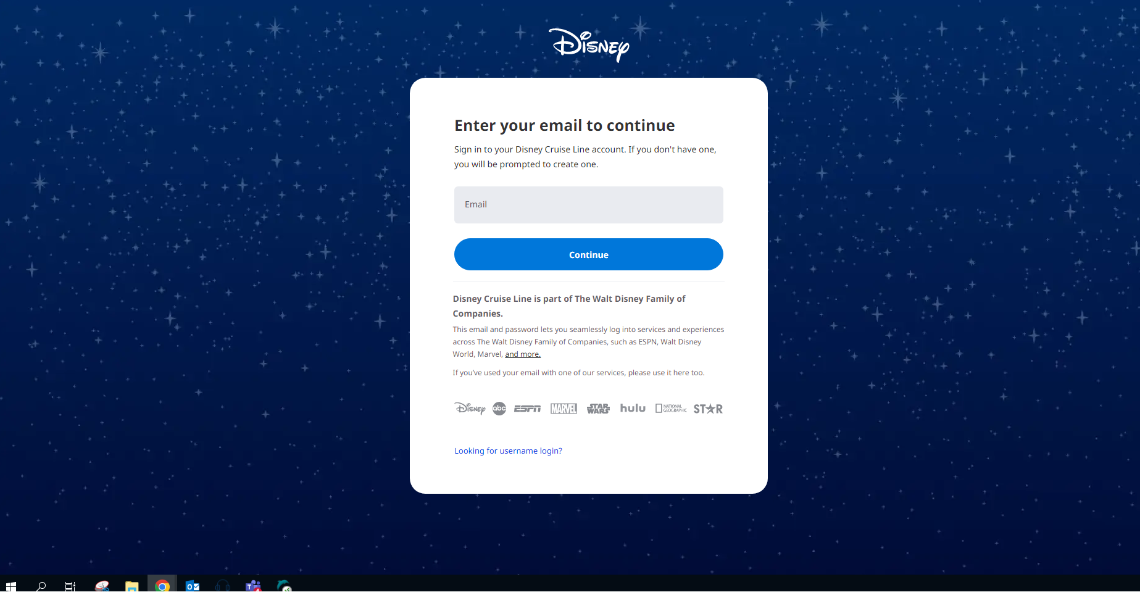
Enter your email address, if you don’t have an account, still enter in your email address and Disney will prompt you to create an account.
-
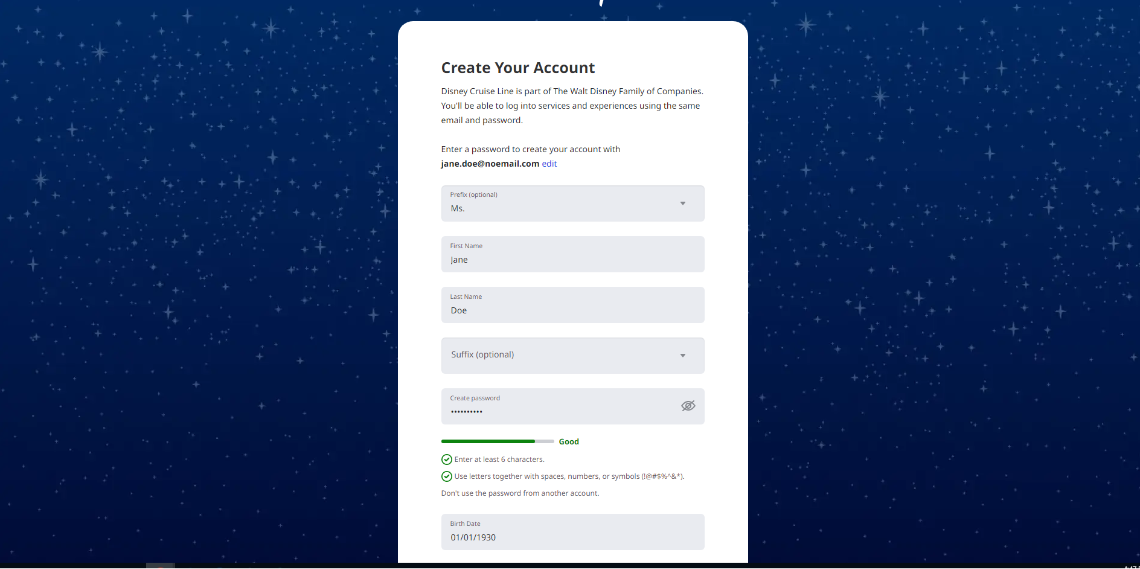
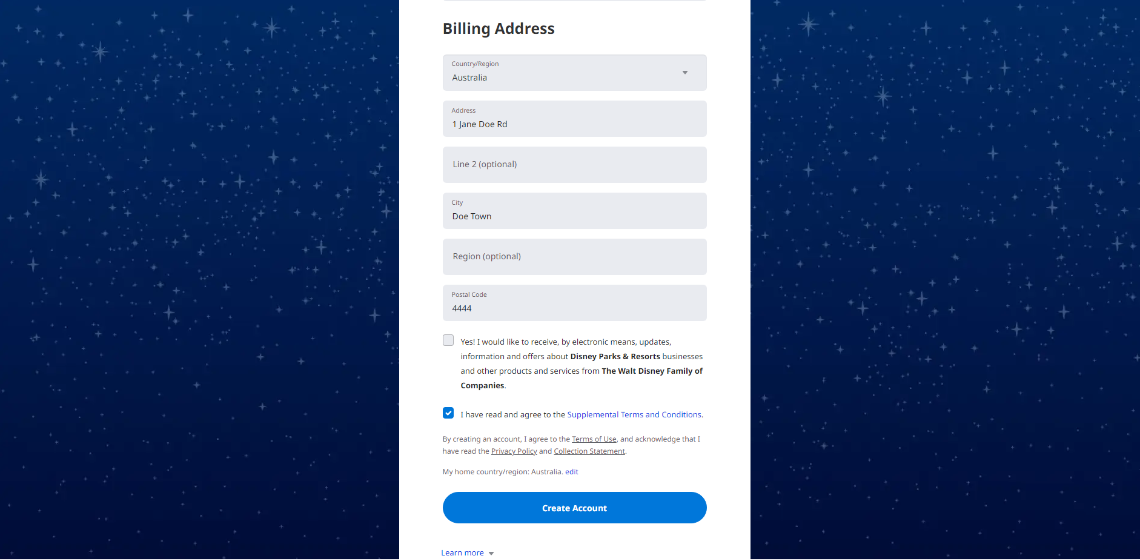
Enter in the required details.
-
Read and agree to the terms and conditions.
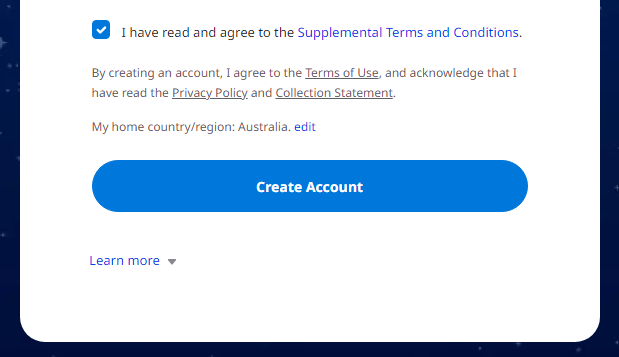
- Select create account.
- Once your account has been created, simply click on add reservation.
-
Add your cruise booking number, DOB and last name and click add.
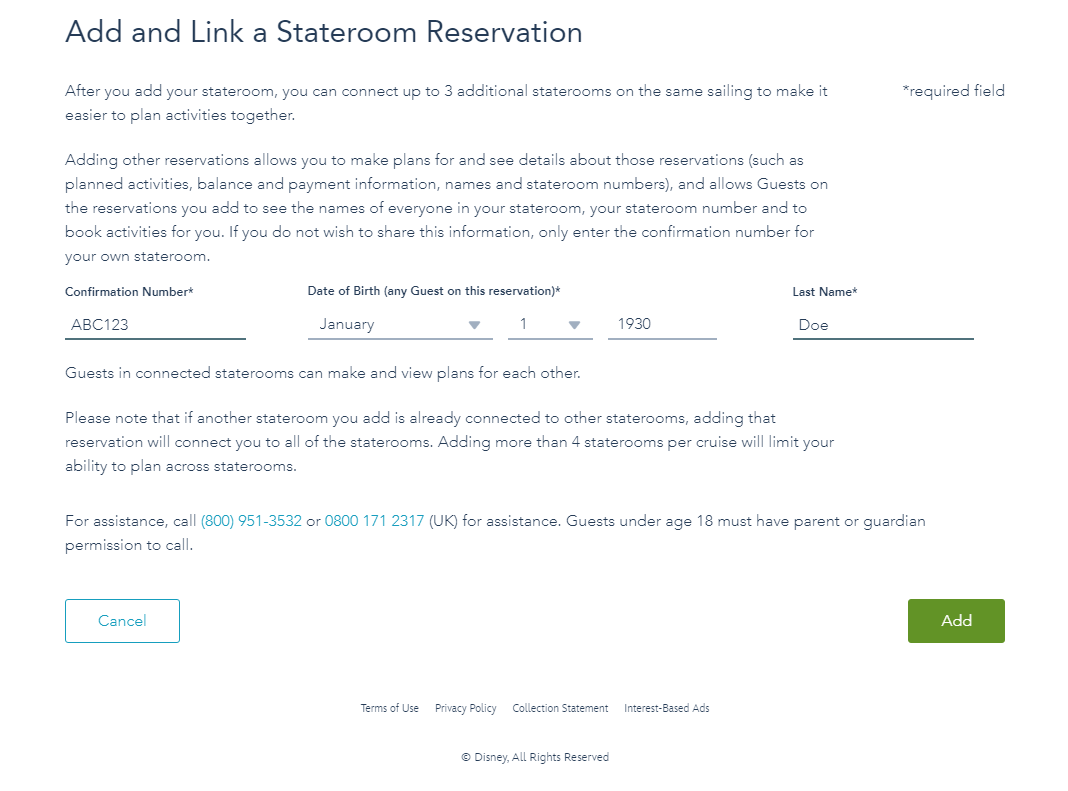
Once you are in, you will be able to complete the online check-in, book shore tours, plan activities, pre-purchase gifts and shopping etc.
DISNEY CRUISE LINE NAVIGATOR APP
Make your Disney cruise even more unforgettable with the Disney Cruise Line Navigator app! Use it at home to plan your trip, make payments, book premium activities, make special requests and check-in online. Once onboard, use it to view your cruise schedule and reserve activities, communicate with family and friends with the handy chat feature, get valuable information about ship locations and ports of call, receive digital receipts and much, much more.

For apple devices – download from the app store.
For android devices – download from google play.
Please take the time to read about passports, visas and citizenship documents Passports, Visas & Citizenship Documentation.
For more frequently asked questions on Disney Cruise click here.
Check out Disney’s frequently asked questions here Disney Cruise FAQs.
Guests without proper documentation will be denied boarding.