
This guide explains the key steps you should take before your Silversea cruise to ensure a smooth departure, including providing passport and booking details, completing any required online guest information form or check-in, securing travel documentation, organizing visa and insurance requirements, and preparing your boarding documents and items for embarkation
SILVERSEA CRUISES IMPORTANT INFORMATION
Let’s get you ready for a smooth sailing holiday. See below some important information and steps to complete before you head out on your cruise/tour. This page includes information on the following:
- Online check-in and access to travel documentation.
- Adding shore excursions and activities etc.
- Other important information ahead of your cruise.
IMPORTANT INFORMATION BEFORE YOU PROCEED
You will require your cruise line booking number to check into your cruise. This can be found on email correspondence as Booking reference number or on your booking confirmation in the PDF detailing your itinerary under the Supplier Booking Number. If you cannot find it, please call us and we can provide it to you.
SILVERSEA CRUISES ONLINE CHECK-IN:
In order to retrieve your cruise ticket/s, you will need to complete your online check-in with the cruise line. For your booking on Silversea's please follow the below directions If you have not done so already, you will need to go online to Silversea Check-In and fill in your online registration (Cruise Personaliser).
This is a requirement of the cruise line and must be completed. You can save your progress at any time during the online registration and go back to it if need be. If you have not filled this out, here are the directions on how to do so:
PLEASE NOTE: ONCE COMPLETED, THE CRUISE LINE WILL SEND US DOCUMENTATION TO WHICH WE WILL FORWARD TO YOU.
ONLINE CHECKING INSTRUCTIONS:
- Click create account Silversea Check-In.
-
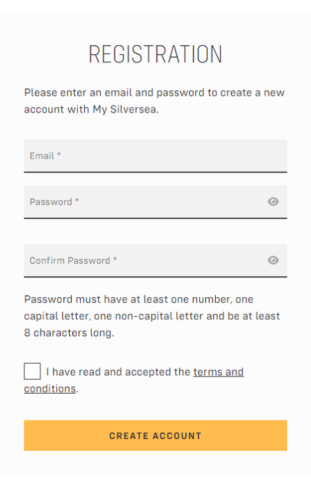
Enter in your email, password you want, confirm password, read and accept the terms and conditions. Then click create account.
-
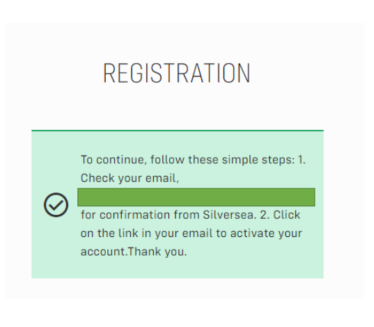
You will receive a pop up to advise you have registered, check your email inbox (if not in your inbox, check junk / spam folder).
-
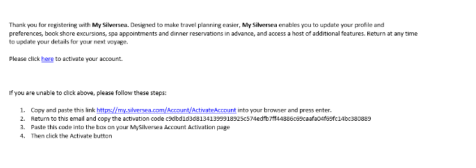
The email will look as per below, click on the link where it says (please check here) to activate your account.
-
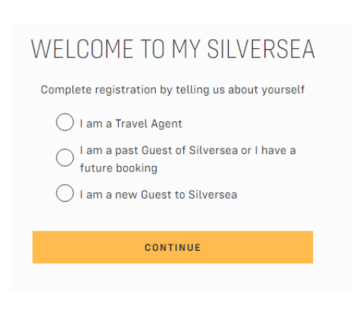
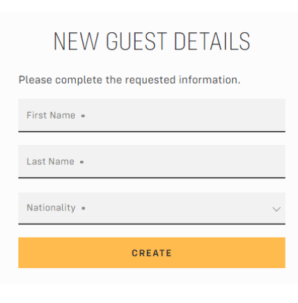
To complete your registration, either select “I am a past guest on Silversea or I have a future booking” OR I am a new guest to Silversea. Click the option and submit.
-
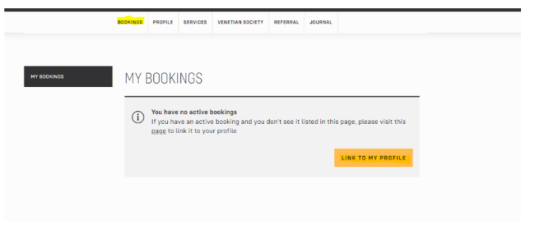
If your booking doesn’t appear, you can add this. Go to bookings, click on link to my profile.
-
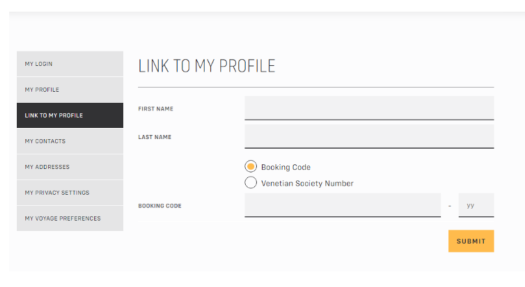
Add in your first name, last name, booking number and click submit.
General Information Silversea General Information.
Silversea Travel Requirements Silversea Travel Requirement.