
This guide explains the key steps you must complete before sailing with Royal Caribbean, including completing online check-in to obtain your SetSail Pass and travel documents, entering passport and contact details, selecting an arrival time, booking shore excursions and optional extras, and ensuring you have the correct travel documentation for embarkation and ports of call.
ROYAL CARIBBEAN IMPORTANT INFORMATION
Let’s get you ready for a smooth sailing holiday. See below some important information and steps to complete before you head out on your cruise. This page includes information on the following:
- Online check-in and access to travel documentation.
- Adding shore excursions, activities and drinks packages.
- Downloading the cruise line app to enhance your onboard experience.
- Important information from the cruise line.
- Other important information ahead of your cruise.
IMPORTANT INFORMATION BEFORE YOU PROCEED
You will require your cruise line booking number to check into your cruise. This can be found on email correspondence as Booking reference number or on your booking confirmation in the PDF detailing your itinerary under the Supplier Booking Number. If you cannot find it, please call us and we can provide it to you.
ROYAL CARIBBEAN ONLINE CHECK-IN:
In order to retrieve your cruise ticket/s, you will need to complete the online check-in with the cruise line. For your booking with Royal Caribbean please follow the below directions and print your e-ticket/s and take to the pier for check-in.
If you have not done so already, you will need to go online to Royal Caribbean Online Check-In and fill in your online registration (Cruise Personaliser). This is a requirement of the cruise line and must be completed. You can save your progress at any time during the online registration and go back to it if need be. If you have not filled this out, here are the directions on how to do so:
ONLINE CHECKING INSTRUCTIONS:
- Go to Royal Caribbean Online Check-In.
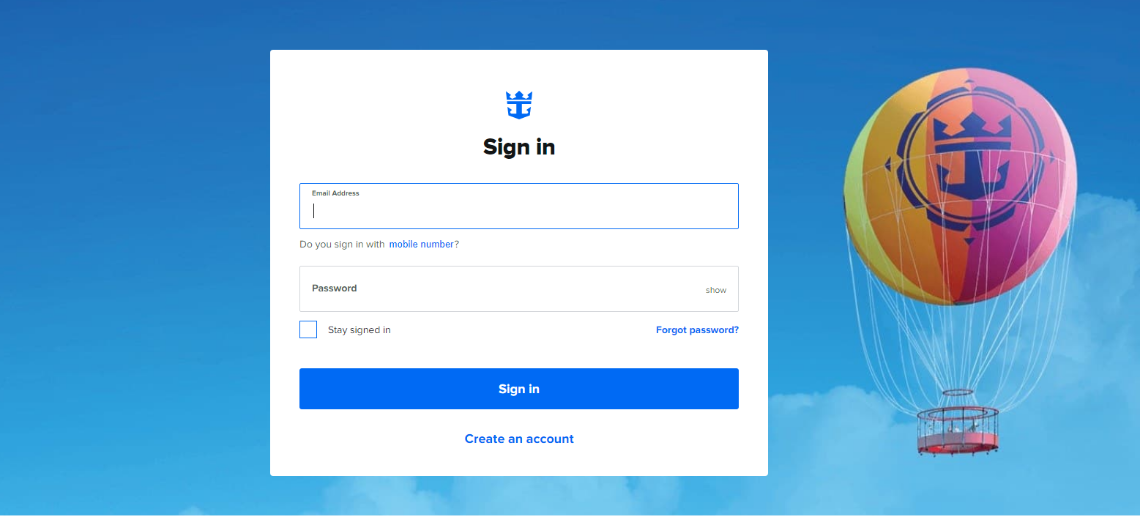
- If you don’t have an account set up, you will need to create one. If you have an account, simply login.
-
To create an account click on create an account.
-
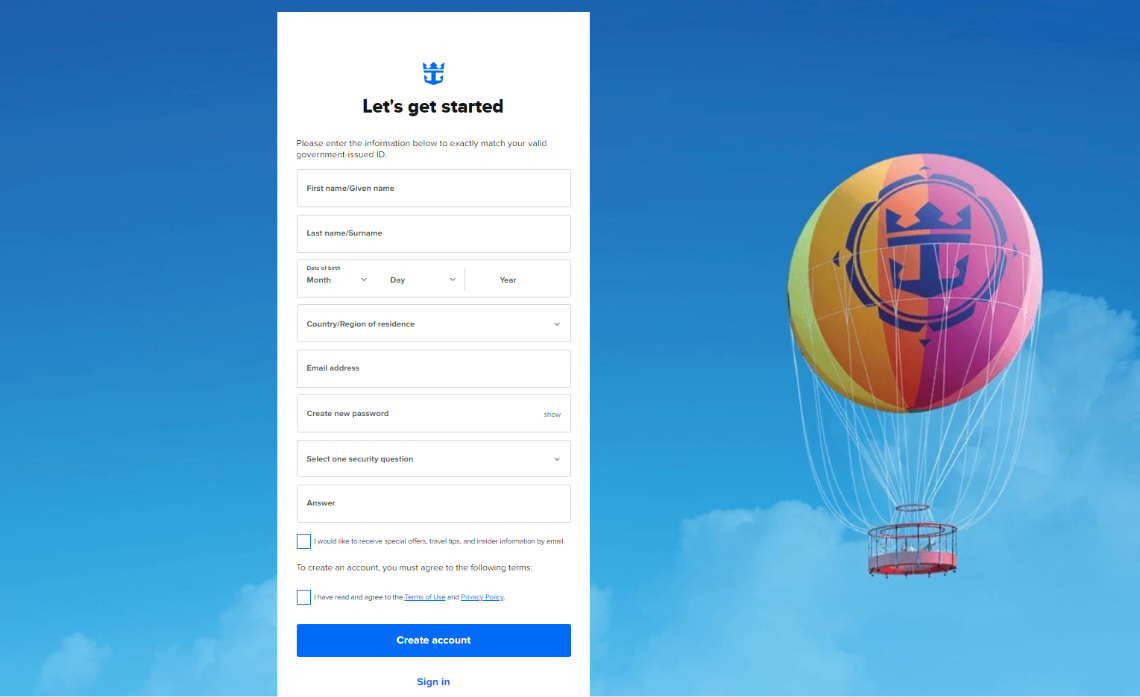
Fill in the following information, please note the information below must exactly match your valid government-issued ID. Read and accept the terms of use and privacy policy. Then click create account.
-
Once you have created your account, you will need to add your cruise to your profile. Click on add a cruise and follow the prompts.
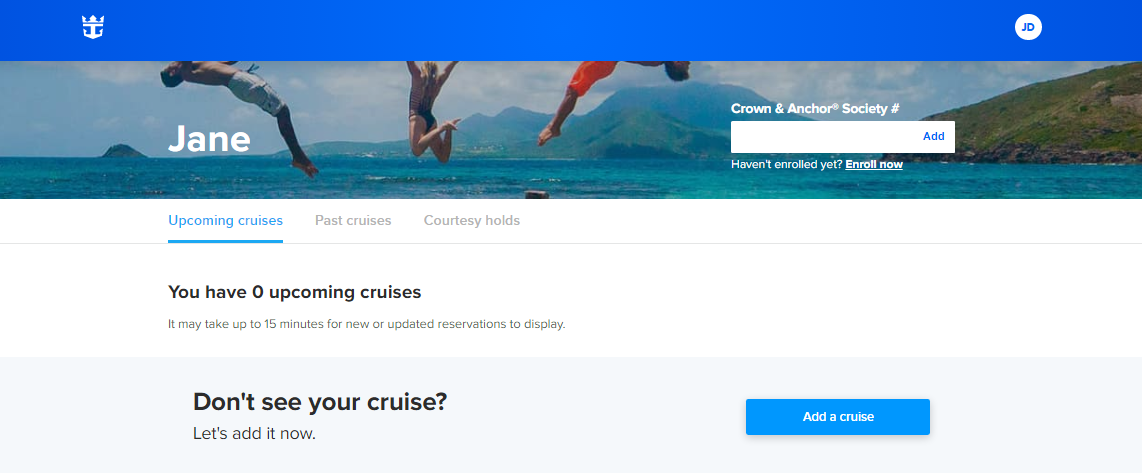
- Add in your last name, date of birth and cruise booking number – click continue. The booking will then link to your account you have just created. (Please note it may take 15 minutes for the booking to display).
Once your booking is linked; you will be able to complete your online check-in and print luggage tags and boarding passes once available.
Also, inside the cruise personaliser you can pre-purchase the following:
- Beverage packages.
- Dining packages.
- Dining packages.
- Wifi packages.
- Spa and fitness.
- Pre-book onboard activities.
- Plus, much more.
Questions related to boarding requirements click here.
IMPORTANT INFORMATION FROM THE CRUISE LINE
Health, Travel and Risk Acknowledgement
Learn More Here!
Vaccination-form.
Getting Ready to Cruise from Australia
Learn More Here.
If your cruise departs from a country other than Australia, you have different protocols to follow please Click Here for more information.
Health and safety protocols, guest conduct rules, and regional travel restrictions vary by ship and destination, and are subject to change without notice. Due to evolving health protocols, imagery and messaging may not accurately reflect onboard and destination experiences, offerings, features, or itineraries. These may not be available during your voyage, may vary by ship and destination, and may be subject to change without notice.