
This guide covers what you need to do before your Norwegian Cruise Line holiday: complete online check-in so you can access and print your boarding documents, provide passport and contact information, add optional extras like shore excursions and onboard packages, and prepare required travel documentation for embarkation.
Step by Step: Getting Ready for Your Norwegian Cruise
Step 1: Have Your Booking Details Ready
Before you start, locate your cruise booking reference number. This is usually on your confirmation email or booking summary paperwork from your travel agent.
Step 2: Log In to Your My NCL Account
NORWEGIAN CRUISE ONLINE CHECK-IN:
To retrieve your cruise ticket, you will need to complete your online check-in with the cruise line. For your booking on Norwegian Cruise please follow the directions below and print your e-ticket and take to the pier for check-in.
If you have not done so already, create an account at Norwegian Cruise Online Check-In and register.If you already have an account, you can simply login. This is a requirement of the cruise line and must be completed.
Click register.
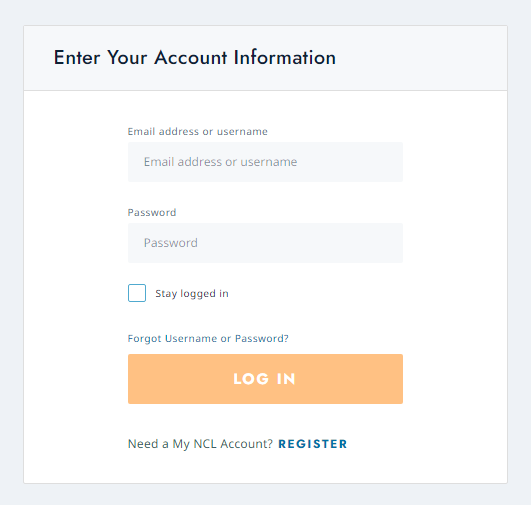
- Fill in the required information.
- For the question “Are you a member of our Latitudes Rewards programme or have sailed Norwegian Cruise Line before?” You must select no, if you select yes then you do not need to create an account and simply login to your existing account.
- A new question will appear “do you currently have a cruise reservation?” Select yes and add in the ship you are sailing on, your cruise booking reference number and the embarkation date. Select look up.
- You must tick YES for “Are you currently working with a travel agent outside of NCL?”
- You can now click create account.
Once you are in, you will be able to complete the online check-in, book shore tours, plan activities, pre-purchase gifts and shopping etc.
You can find more information about Norwegian’s online check-in here.
For any frequently asked questions about your cruise click here.
NORWEGIAN CRUISE MOBILE APP
For apple devices – download from the app store.
For android devices – download from google play.
Download the Cruise Norwegian mobile app, available for use on the entire Norwegian fleet! Cruise Norwegian includes an industry first "Pre-Cruise" mode which allows you to pre-book your onboard activities, dining reservations, shore excursions, entertainment, and view your vacation itinerary and summary, all before you ever step foot on a Norwegian ship. Once you get onboard, all your reservations, bookings, and favourites are seamlessly transferred to the ship, where you can use the communications feature to chat and message with other guests onboard, view your account and onboard purchases, get a daily schedule of what's happening on the ship, and so much more! The Cruise
You can find more information regarding the app here.
IMPORTANT INFORMATION FROM THE CRUISE LINE
All guests must provide key personal information prior to boarding the cruise ship. Travel to some destinations requires passports and/or special visas and travel authorisations.
Click here for travel documentation requirements and information before you complete your online check-in form.