
This page outlines the key steps guests need to complete before sailing with Carnival Australia, including online check in, pre booking extras, downloading travel documents, arranging cruise travel insurance, and preparing required documentation to ensure a smooth embarkation experience.
Step by Step: Getting Ready for Your Carnival Cruise
Step 1: Locate Your Booking Number
Have your cruise booking number ready. You will find this in your confirmation email or booking documentation from your travel agent.
Step 2: Complete Online Check In
ONLINE CHECKING INSTRUCTIONS:
- Go to Carnival Online Check-In.
-
If you have previously created an account, you can simply log straight in with your email and password.
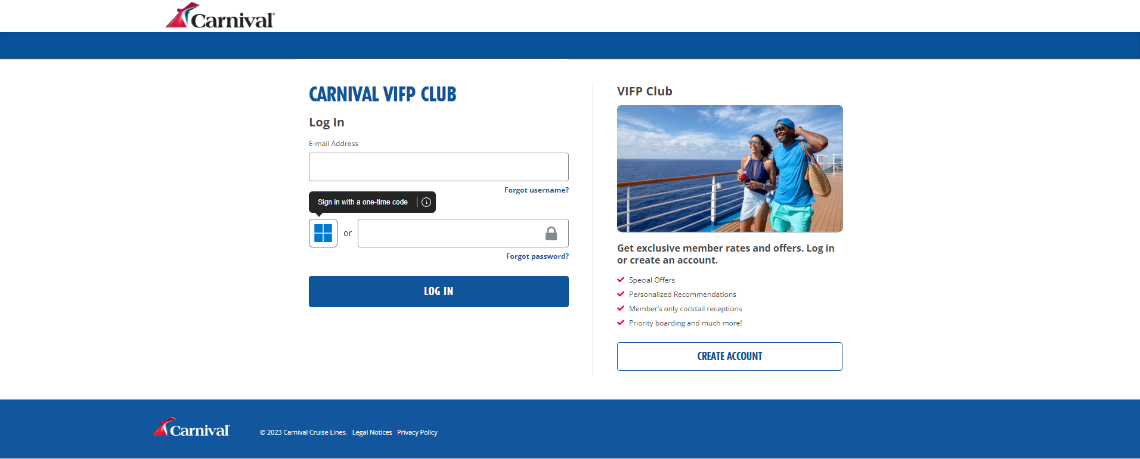
-
If you don’t have an account, you must complete this first. Select ‘create account’.
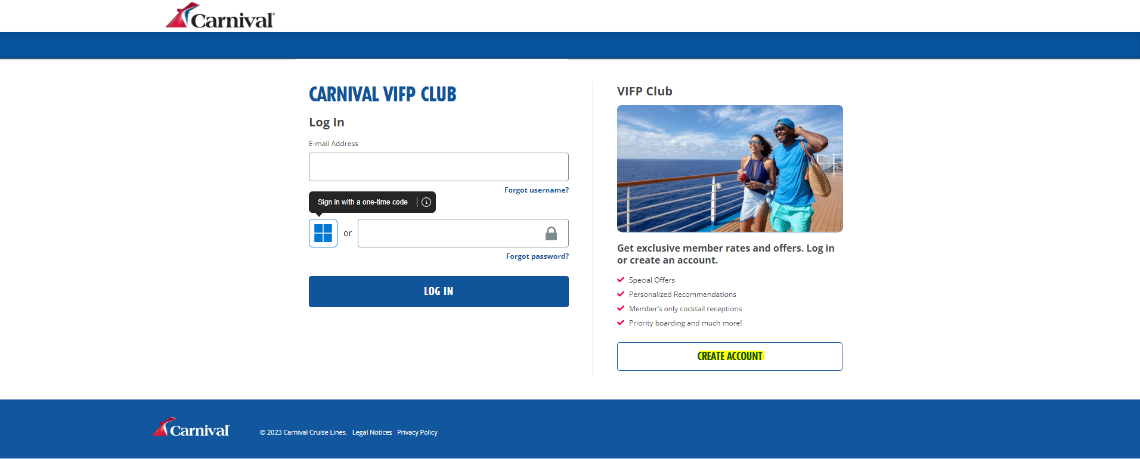
-
Enter in your email address, password and select create account.
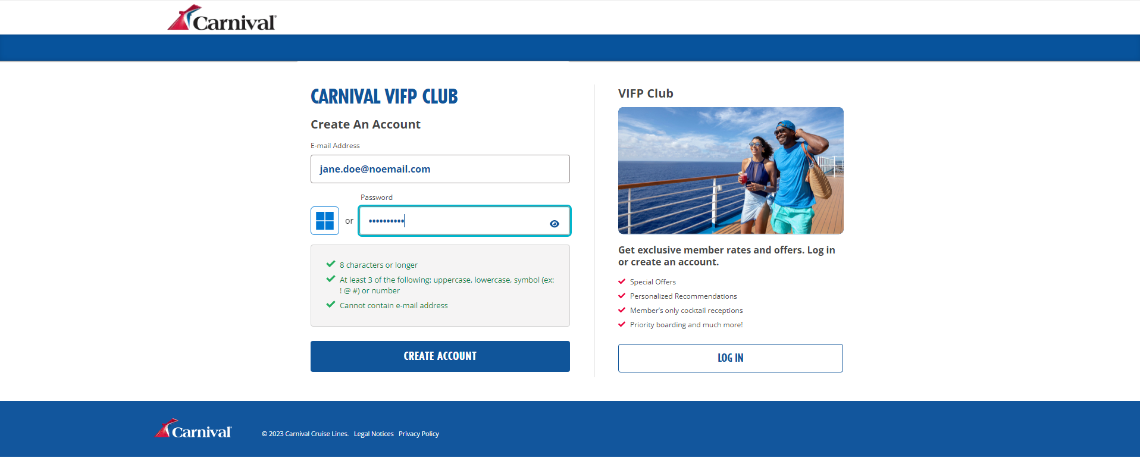
-
Enter in your first name, last name, date of birth, gender, country of residence, and phone number.
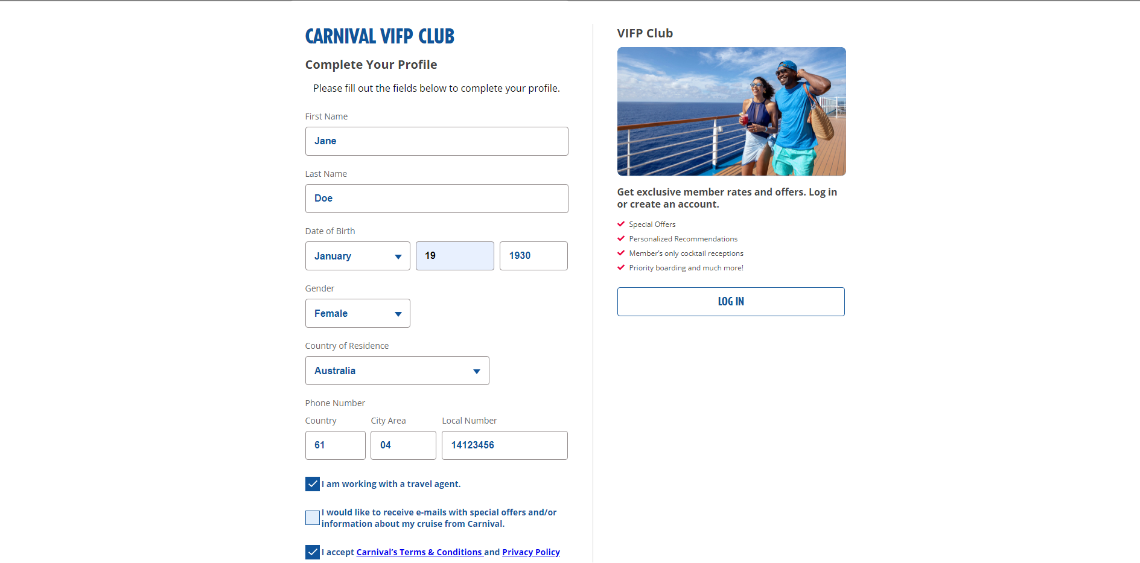
-
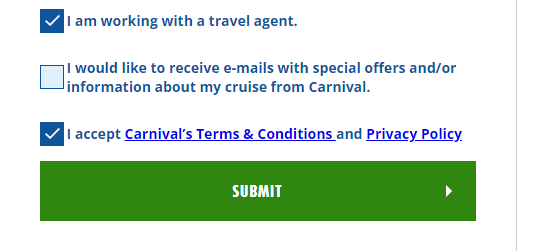
You will then need to select, ‘I am working with a travel agent’ and read and accept Carnivals Terms and Conditions. Then click submit.
-
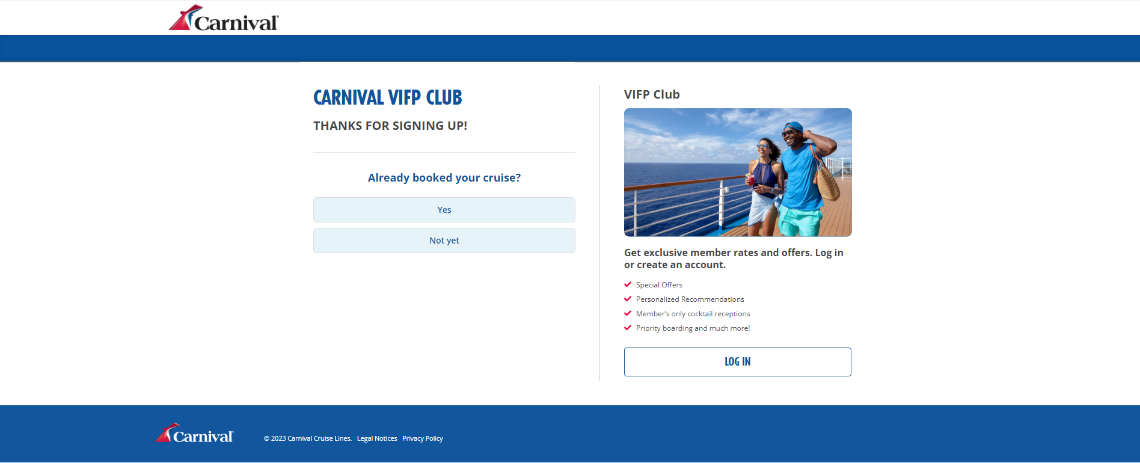
It will ask if you have already booked a cruise, select YES and add in your cruise booking number.
-
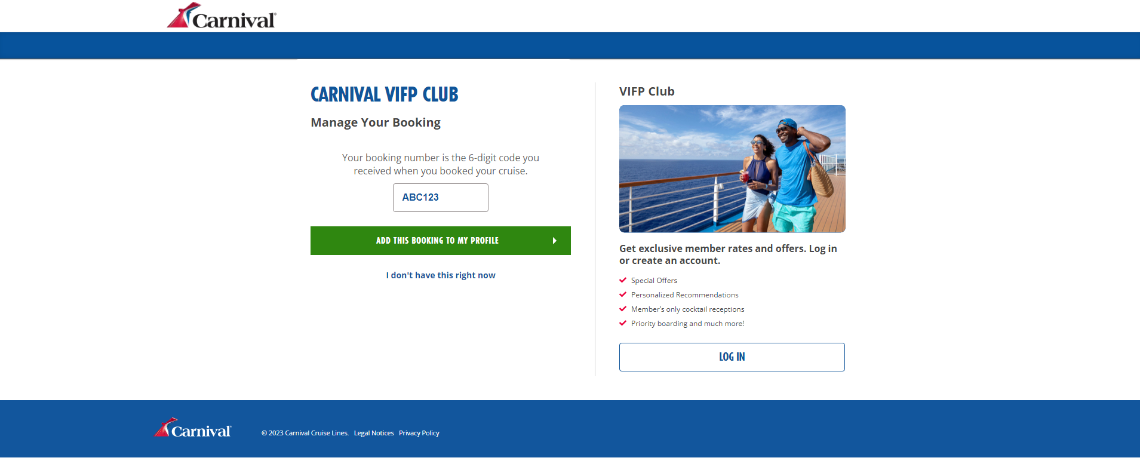
Add your cruise booking number and select add this booking to my profile.
Once you are in, you will be able to complete the online check-in, book shore tours, plan activities, pre-purchase gifts and shopping etc.
Once all information is complete, approximately 3-4 weeks prior to sailing you will be able to print off the e-tickets.
You will need to present the e-tickets along with your passports at embarkation.
Please note Carnival do not send out paper tickets, your e-ticket/s must be printed off the cruise personaliser once it is completed.
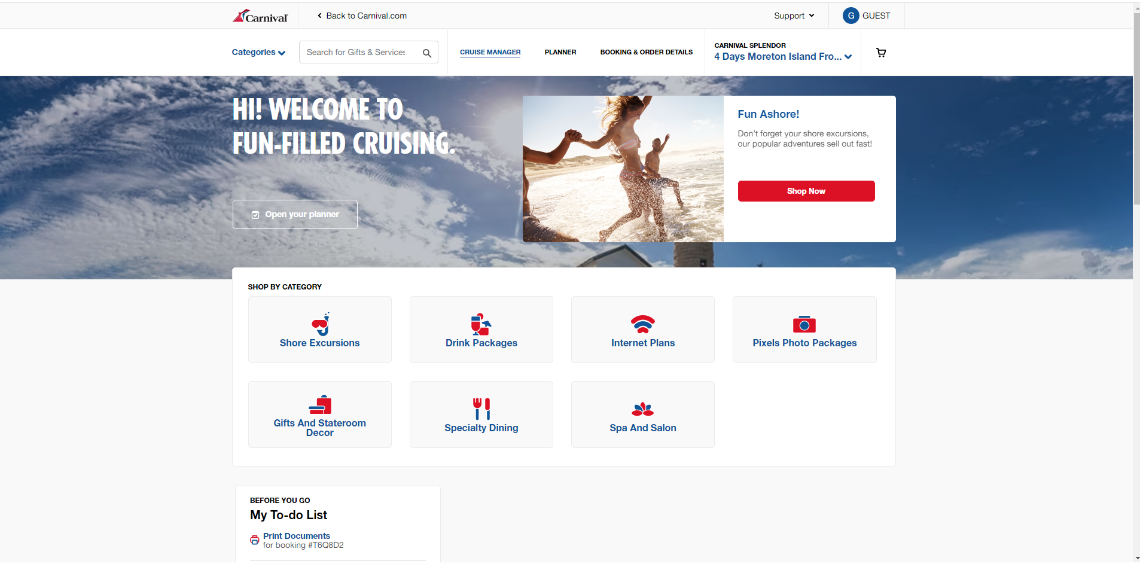
You can also book any shore tours, drink packages, internet plans, photo packages, gifts, speciality dining and spa and salon prior to embarking.

CARNIVAL AUSTRALIA IMPORTANT INFORMATION
Let’s get you ready for a smooth sailing holiday. See below some important information and steps to complete before you head out on your cruise. This page includes information on the following:
- Online check-in and access to travel documentation.
- Adding shore excursions, activities and drinks packages.
- Downloading the cruise line app to enhance your onboard experience.
- Other important information ahead of your cruise.
IMPORTANT INFORMATION BEFORE YOU PROCEED
You will require your cruise line booking number to check into your cruise. This can be found on email correspondence as Booking reference number or on your booking confirmation in the PDF detailing your itinerary under the Supplier Booking Number. If you cannot find it, please call us and we can provide it to you.
CARNIVAL AUSTRALIA ONLINE CHECK-IN:
In order to retrieve your cruise ticket/s, you will need to complete your online check-in with the cruise line.
For your booking on Carnival Australia please follow the below directions and print your e-ticket/s to take to the pier for check-in. If you have not done so already, you will need to go online to Carnival Online Check-In and fill in your online registration (Cruise Personaliser). This is a requirement of the cruise line and must be completed. You can save your progress at any time during the online registration and go back to it if need be. If you have not filled this out, here are the directions on how to do so:
ONLINE CHECKING INSTRUCTIONS:
- Go to Carnival Online Check-In.
-
If you have previously created an account, you can simply log straight in with your email and password.
-
If you don’t have an account, you must complete this first. Select ‘create account’.
-
Enter in your email address, password and select create account.
-
Enter in your first name, last name, date of birth, gender, country of residence, and phone number.
-
You will then need to select, ‘I am working with a travel agent’ and read and accept Carnivals Terms and Conditions. Then click submit.
-
It will ask if you have already booked a cruise, select YES and add in your cruise booking number.
-
Add your cruise booking number and select add this booking to my profile.
Once you are in, you will be able to complete the online check-in, book shore tours, plan activities, pre-purchase gifts and shopping etc.
Once all information is complete, approximately 3-4 weeks prior to sailing you will be able to print off the e-tickets.
You will need to present the e-tickets along with your passports at embarkation.
Please note Carnival do not send out paper tickets, your e-ticket/s must be printed off the cruise personaliser once it is completed.
You can also book any shore tours, drink packages, internet plans, photo packages, gifts, speciality dining and spa and salon prior to embarking.
CARNIVAL HUB APP
Carnival now have their very own app for when you are travelling onboard.

For apple devices – download from the app store.
For android devices – download from google play.
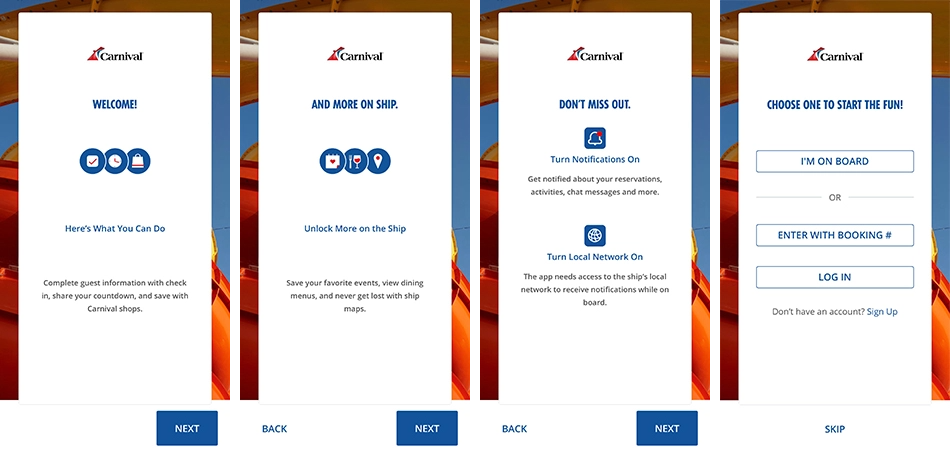
Once downloaded, click open the app, you will need to click next until you get to the login area. If you are already onboard, click ‘I’M ON BOARD’ if you are not yet on your cruise, you can either login with just the cruise booking number or login if you have a Carnival Australia account already. If you do not' have an account, simply click sign up.
WHAT CAN YOU DO IN THE APP
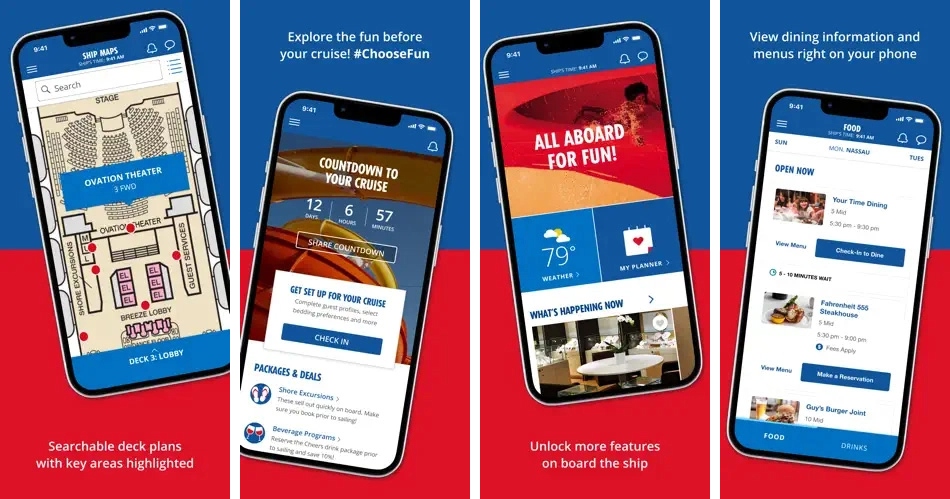
- You can learn all about your ship and cruise before you depart.
- View dining information and menus.
- Search deck plans with key area’s highlighted.
- Chat to connect with family and friends onboard the cruise.
- Real time information on guests sail and sign account balance.
- Book shore tours, spa treatment, drink packages and more!
- Day by day schedule each day on the cruise.
- And loads more!!